5. Cameras: wide, zoom, thermal, palettes, split view
Translated from the Finnish manual (manual/fi); the Finnish text is authoritative.
Matches version: 0.2-dev (phase 2, 2026-10-26). Status: wide, zoom 4.7–16.9× and thermal camera v1 work; hybrid zoom above 16× is missing.
Choosing the camera
| Key | Camera |
|---|---|
| 1 | wide camera (WIDE), 84° diagonal, 4:3 |
| 2 | zoom camera, 4.7× … 16.9× optical, 16:9 |
| 3 | thermal camera (IR), 640 × 512, 61° diagonal, 5:4, full screen |
| 4 | flight camera: a forward-looking wide-angle camera fixed to the airframe (100°, 10° down), does not turn with the gimbal — the pilot's camera while the observer uses the gimbal (chapter 11) |
| Tab | split view: the thermal picture as a small window in the bottom right corner |
The camera name and state are shown in the top right corner, for example IR 640 WHITE HOT AGC -20…-10 °C.
Thermal camera
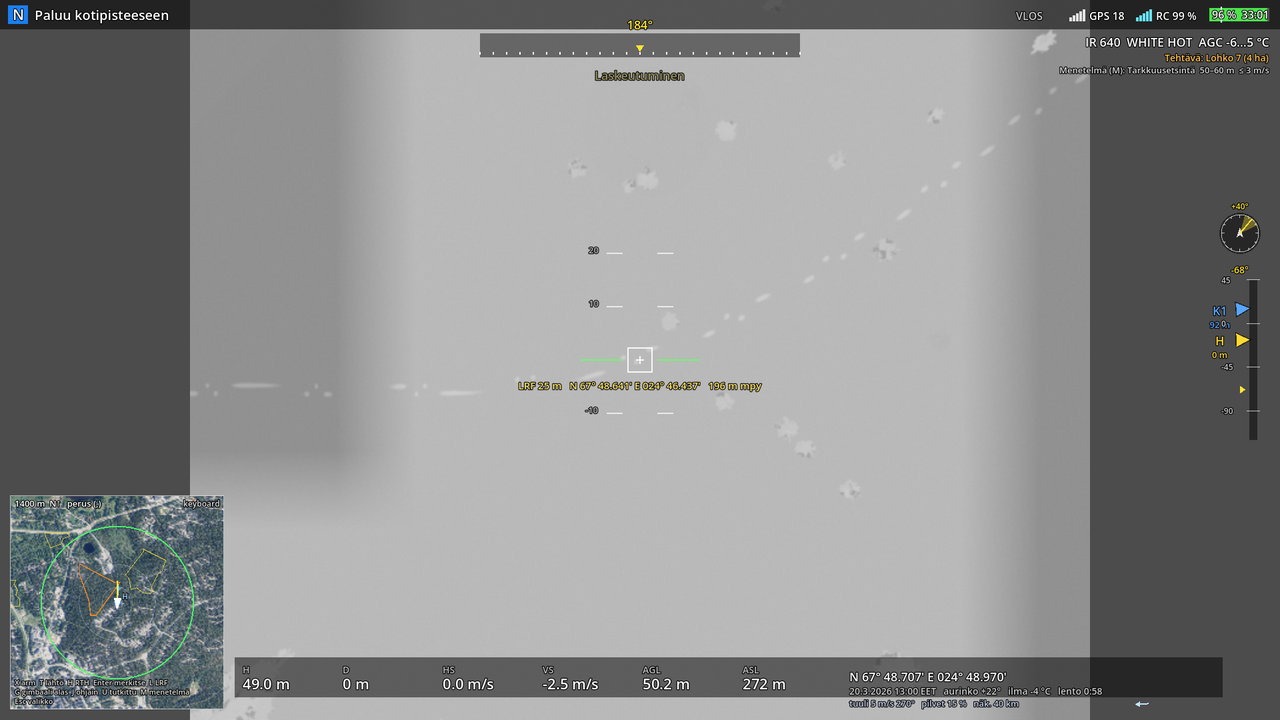
The thermal picture is not a filter on the visible-light picture but a simulation of surface temperature: for every surface a temperature is computed from the air temperature, solar heating (with a delay of one and a half and three hours, because the ground warms slowly) and radiative cooling on a clear night. The ground's class comes from the land-cover map of the terrain package (chapter 6: forest, open land, bog, water, road, rock, building; in winter, surfaces covered by snow and ice count as snow), a person gets skin and clothing temperatures, and dropped items cool down over time. A bog is wet peat: it warms less during the day and holds heat longer at night than mineral soil.
What this means in a search:
- On a winter night snow is colder than the air and a person is tens of degrees warmer: the person glows white, the forest shows grey.
- On a hot summer afternoon sun-warmed open ground is 30–40 °C and a road hotter, a person's clothing about 27 °C: the person is cooler than the surroundings or blends into them. The thermal camera hardly helps then, as in real operations.
- In the evening, rock and roads hold heat longer than vegetation.
- In summer, water is at lake temperature (about 12–16 °C in July–August) and in winter it is ice.
The thermal picture is shown at the camera's own resolution of 640 × 512, and the pixels show when you zoom in, as on the real camera.
Palettes and gain
| Key | Function |
|---|---|
| P | palette, in the aircraft's order: White Hot, Black Hot, Tint, Iron Red, Hot Iron, Arctic, Medical, Fulgurite, Rainbow 1, Rainbow 2 |
| O | AGC (automatic gain) on / off |
| − / = | manual temperature window narrower / wider |
| 6 | isotherm: person 25–37 °C → hot ≥ 40 °C → off; the band in yellow to red, the rest of the picture grey. On a hot day sun-warmed ground and canopy fall into the person band: the isotherm helps most when it is cool and at night |
| 7 | temperature measurement: spot (reading at the crosshair) → area (hottest ▲ and coldest ▼ point in the frame) → off; accuracy ±2 °C or ±2 % |
| 8 | gain: high −20…150 °C / low 0…500 °C (more noise); readings outside the range show as < or > |
| 9 | temperature alert: off → 25 → 30 → 35 → 40 → 60 → 100 °C; areas over the threshold turn red and a message goes to the history |
| 0 | super-resolution 1280 × 1024 (sharper picture) on / off |
Automatic gain (AGC) sets the window from the terrain temperatures, not from the person: on snow a person goes above the window and shows pure white, in summer they stay inside the window as grey. With the manual window you can stretch the contrast to the range you want, as on the real camera.
Wide and zoom
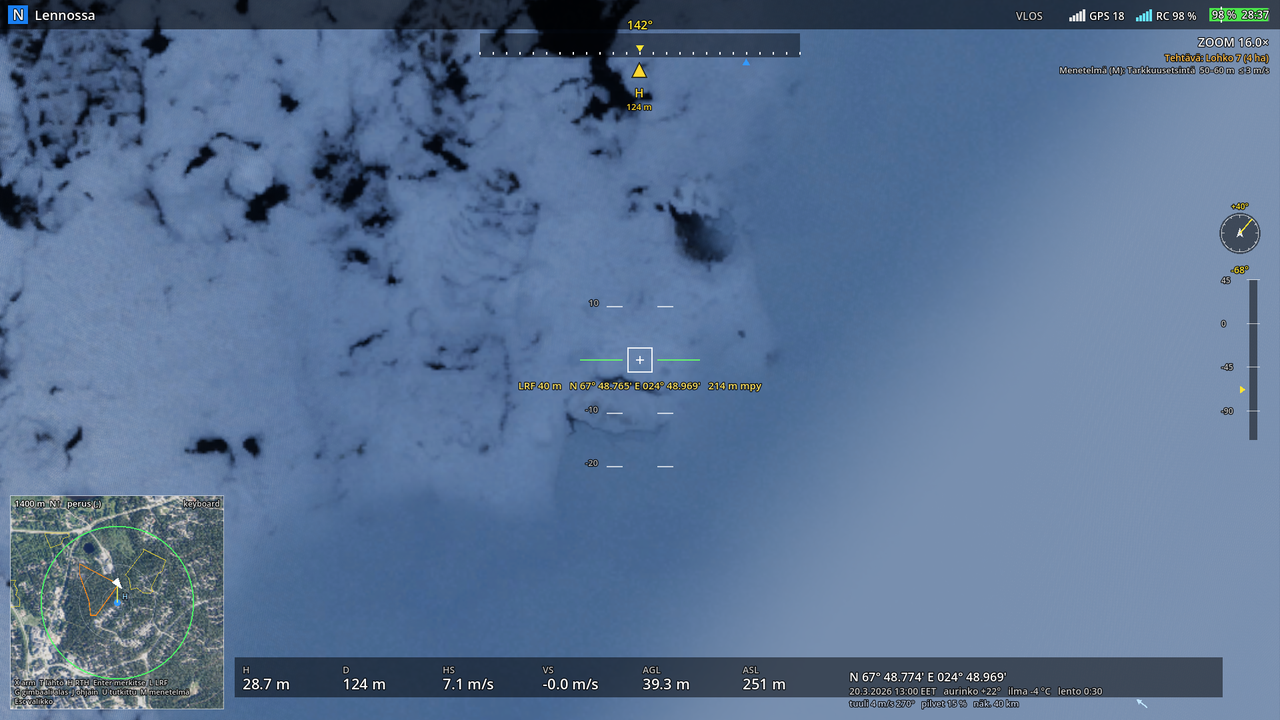
The wide camera (on the gimbal): 84° diagonal, vertical field of view about 58°.
The zoom camera is a separate camera on the same gimbal. Magnification is stated relative to the wide camera's focal length, as on the real aircraft: 5× is about 20° and 16× about 6.4° diagonal field of view. Control:
| Control | Function |
|---|---|
| Z / C | zoom in / out; full deflection doubles the magnification in one second |
| radio pot S1 (CH7) | sets the magnification directly, left end 4.7×, right end 16.9× |
The magnification is shown in the camera name (ZOOM 8.0×) and is saved in the flight log like the gimbal angle, so that coach mode can later show at which magnification each spot was looked at. In a search the zoom is the checking camera: fly and scan with the wide or thermal camera, switch to zoom (2) when something catches your eye. The narrow field of view turns even small movements of the aircraft into large ones, so stop the aircraft before looking closely.
Focus: the zoom and thermal cameras focus from 5 m to infinity, the wide camera from 1 m; nearer than that the picture is soft. The thermal noise matches the camera's 50 mK sensitivity: invisible on a wide automatic window, grain on a narrow manual one, and low gain (0…500 °C) is about three times noisier.
Hybrid zoom 16–200× (digital) is missing: in this terrain (0.5 m aerial photo, no vegetation geometry yet) it would only show magnified pixels. We will return to it in phase 3.
Known gaps
- Trees are geometry and the canopy hides the person in both cameras (in the thermal picture the canopy follows the air temperature, on a summer day cooler than the ground).
- Fog, rain and snowfall veil the visible picture and lower the thermal contrast; low ground mist does not show in the thermal camera (long-wave IR sees through thin radiation mist).
- The land-cover class has a 2 m grid resolution; within a class the variation comes from the aerial photo's tone, not from real moisture or shadows. In the visible-light picture each class has its own surface texture, in the thermal picture it does not.
- Terrain packages without land-cover data (made before 2026-10-26) still use an estimate based on the aerial photo's colour.
- The isotherm bands cannot be set freely yet (two ready bands).